
The "Dino" game in Chrome is a simple, browser-based game that appears when the internet connection is lost. To play the game:
Now will see how to crack the Dino game.
Right click on the page and you will see menu as Inspect, click that.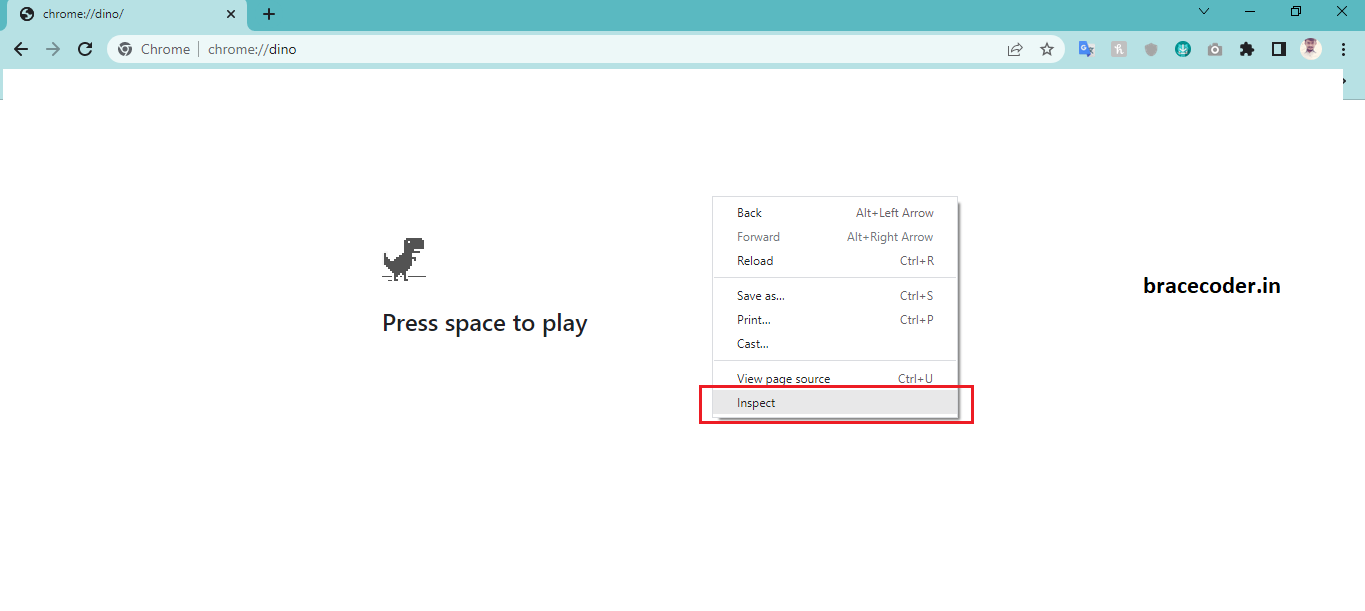
Now select console tab.
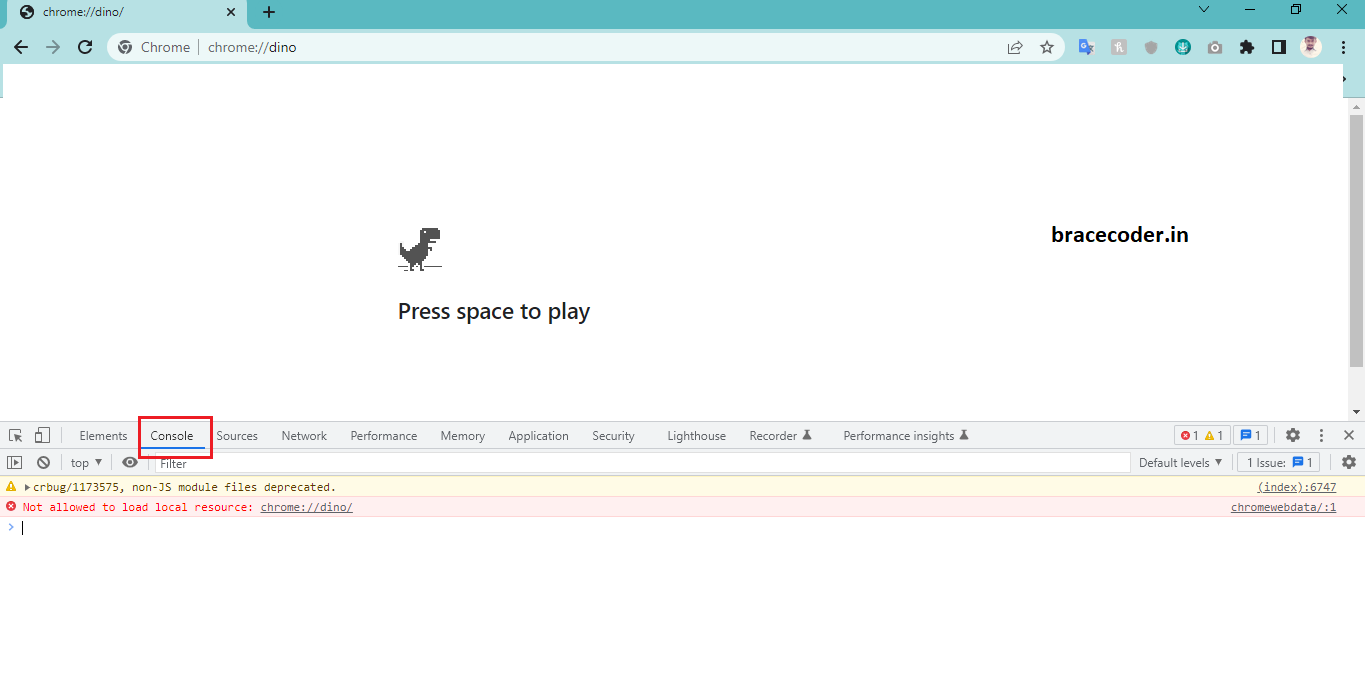
Run a command as below mention
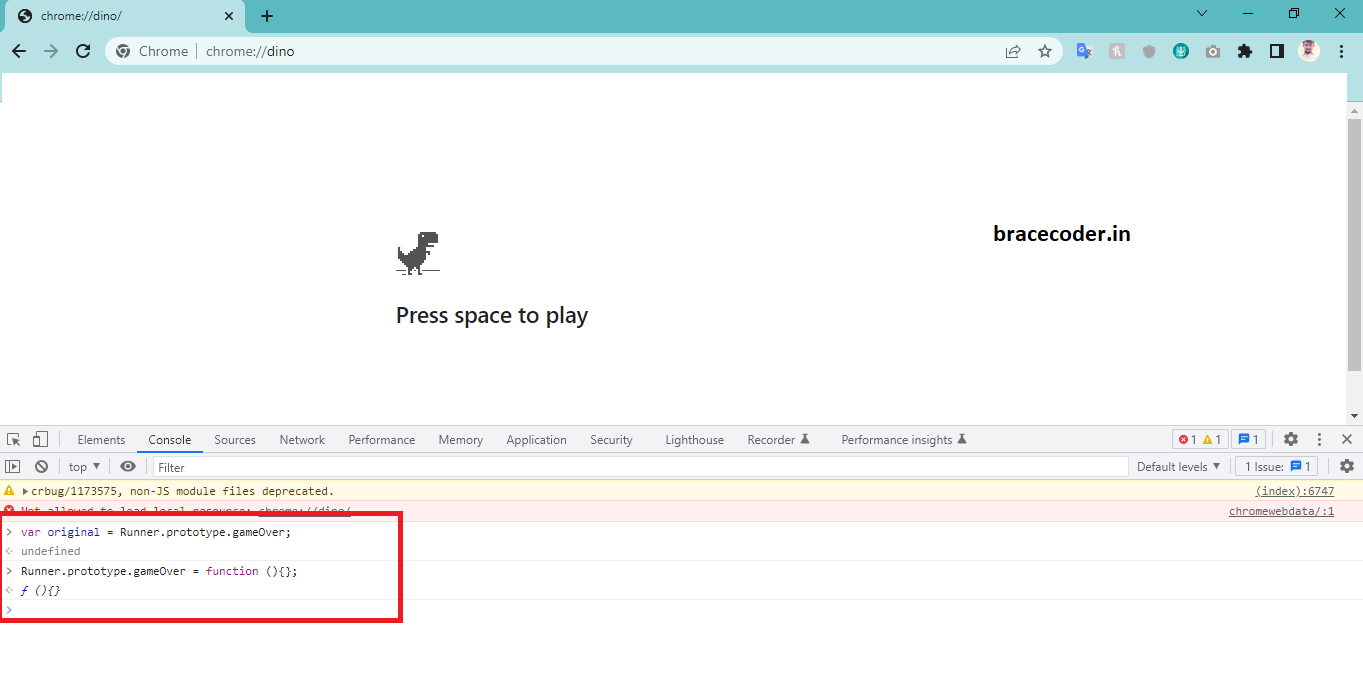 That’s it.
- Open the Chrome browser on your computer or mobile device.
- Disconnect your device from the internet, or open a new tab and type "chrome://dino" in the address bar and press enter.
- Press the "space bar" or "up arrow" key on your keyboard to start the game. The dinosaur will start running automatically.
- Use the "space bar" or "up arrow" key to make the dinosaur jump over obstacles like cacti.
- Collect coins, if they appear on the screen.
- Try to run as far as you can without crashing into any obstacles.
- The game will end if you crash into an obstacle or if you reconnect to the internet.
INFO
Note: The game is not available in incognito mode or guest browsing mode.
Now will see how to crack the Dino game.
Step 1:
Right click on the page and you will see menu as Inspect, click that.
Step 2:
Now select console tab.
Step 3:
Run a command as below mention
That’s it.INFO
If you would have any questions or concerns, please leave your comments. I would be glad to explain in more details. Thank you so much for all your feedback and support!
Frequently asked questions
How do I open the Chrome Dino game without disconnecting from the internet?
Type
chrome://dino in the Chrome address bar and press Enter. The game starts in that tab while you stay online.Which keys control the dinosaur?
Press the space bar or the up arrow to start and to jump. The down arrow makes the dinosaur duck under birds.
Why doesn't the game open in incognito or guest mode?
As noted in the article, the game is not available in incognito or guest browsing mode. Use a normal Chrome window.
Is the console trick permanent?
No. The command only changes the game running in your current tab. Reloading the page resets it, and it has no effect on anyone else's browser.


Comments
0Please sign in to leave a comment.
No comments yet
Be the first to share your thoughts!