
Create a new VM
This material describes how to install Oracle Linux 6.7 on a VM machine that can then be used as a seed to install Oracle software products, like Oracle Database, Clusterware, Enterprise Manager, Weblogic.. etc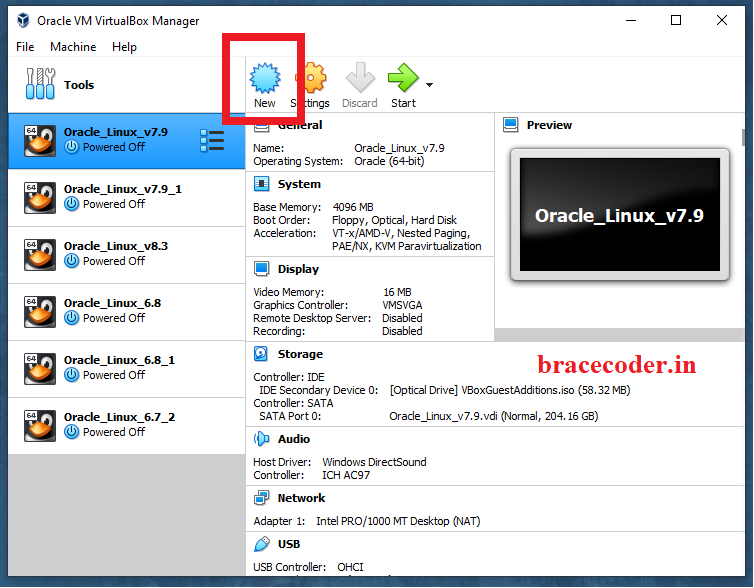
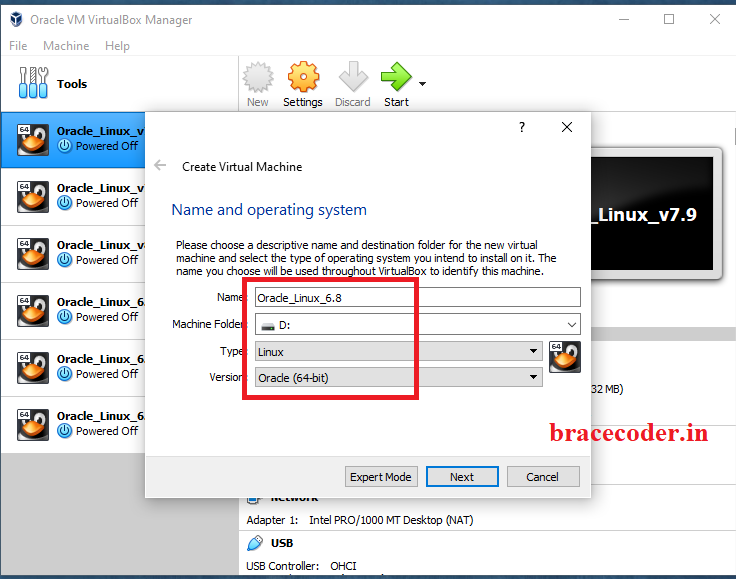
Make some changes on the settings:
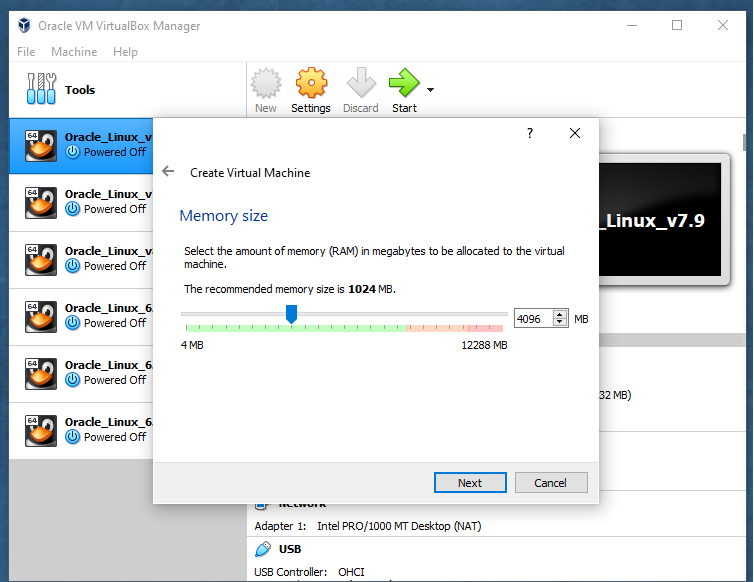
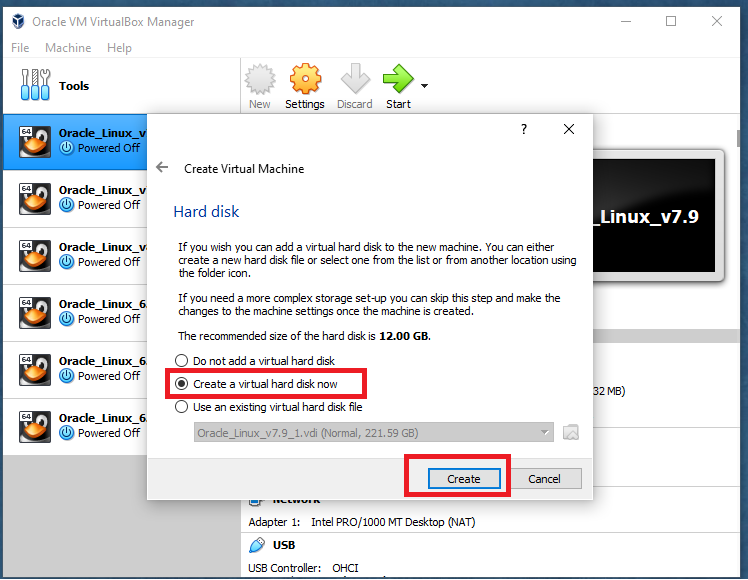
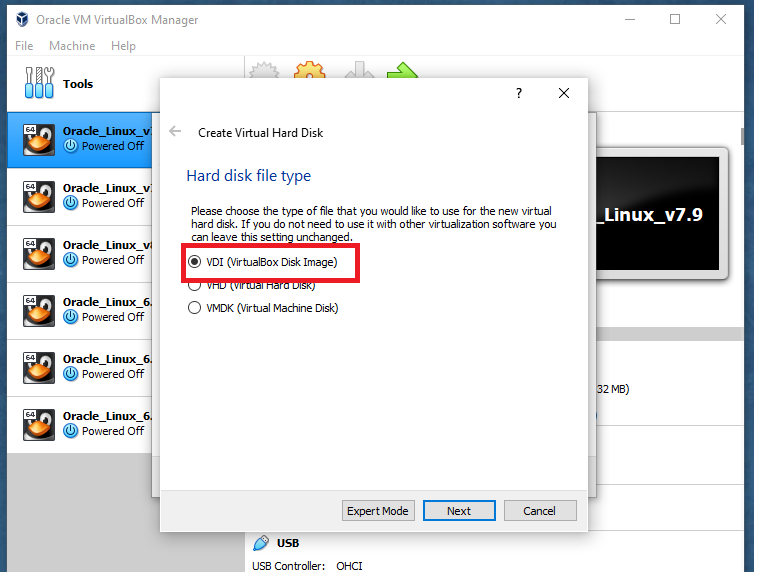
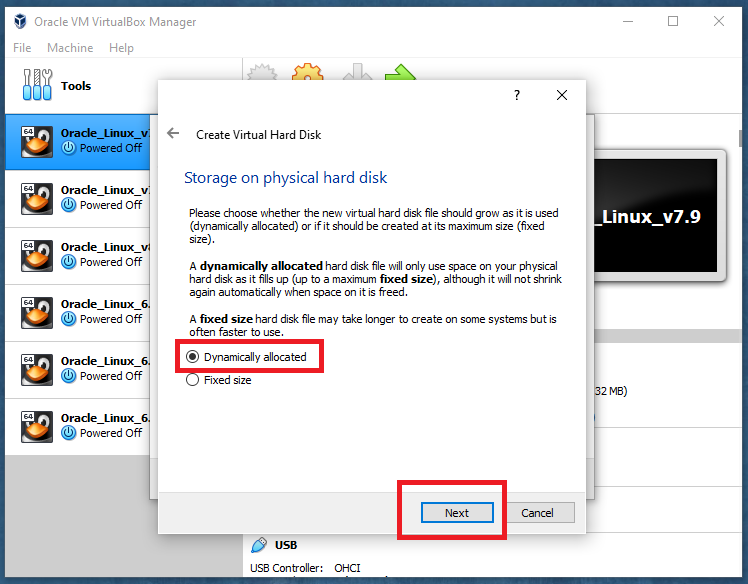
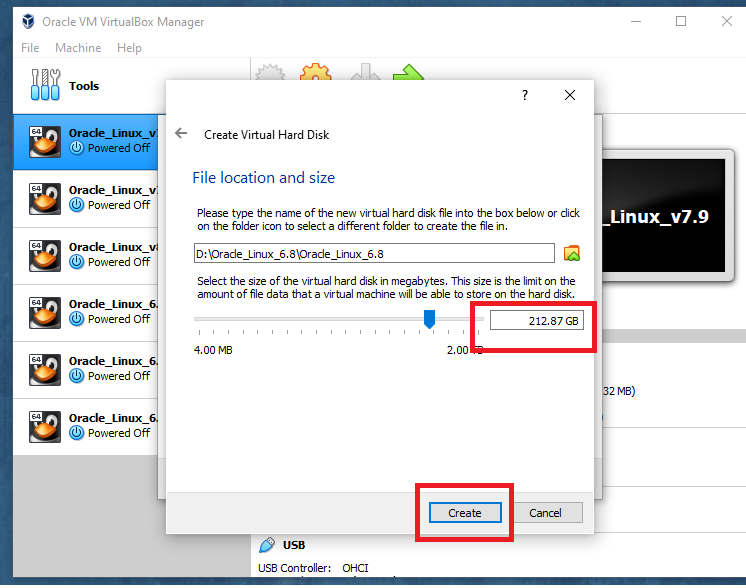
Select the ISO file.
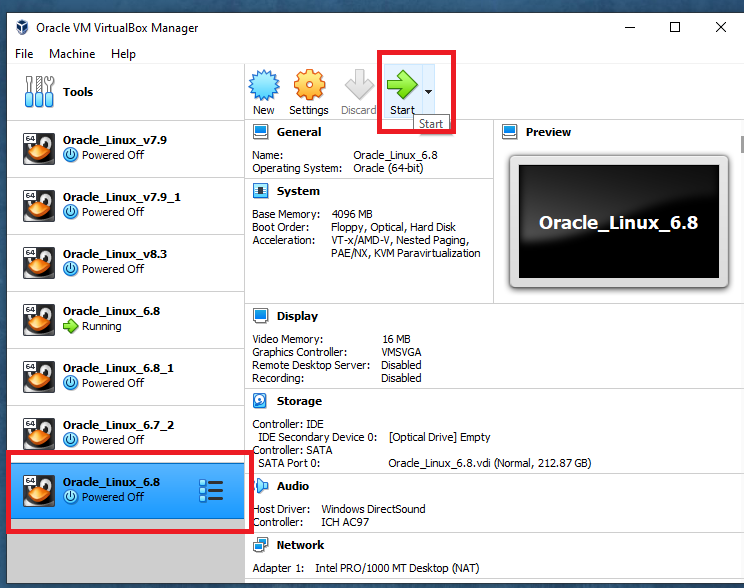
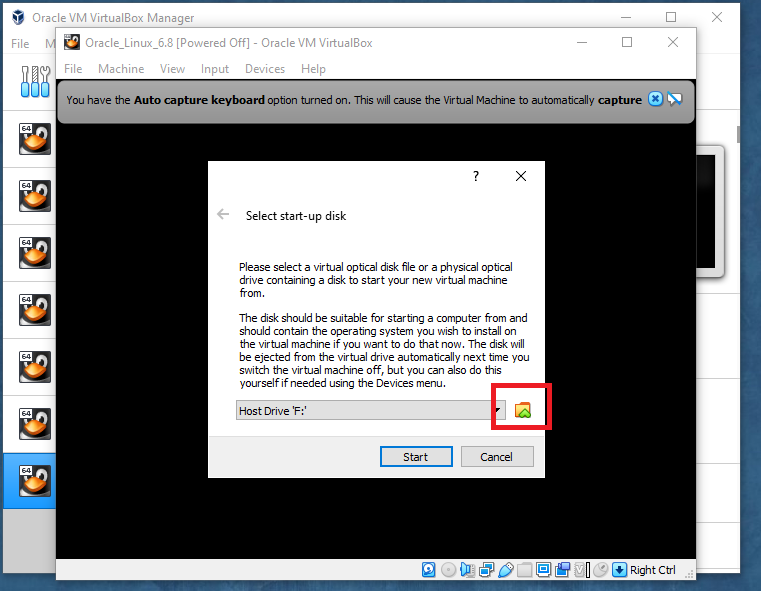
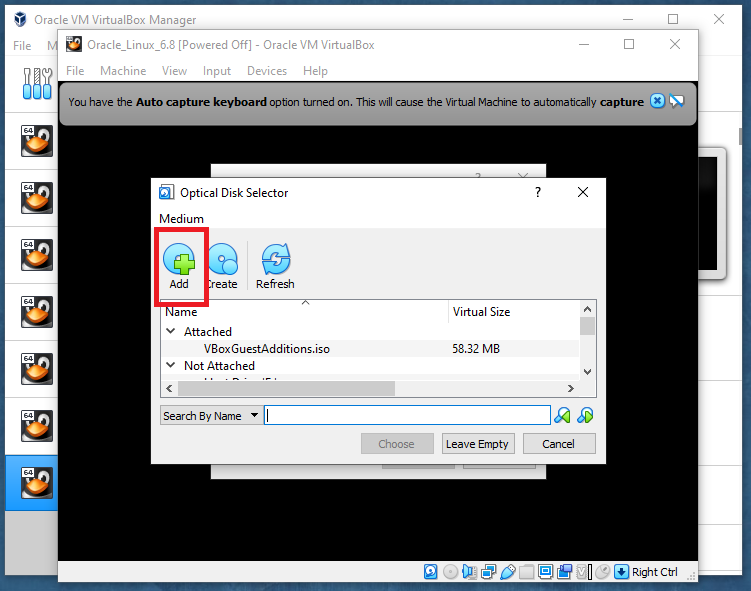
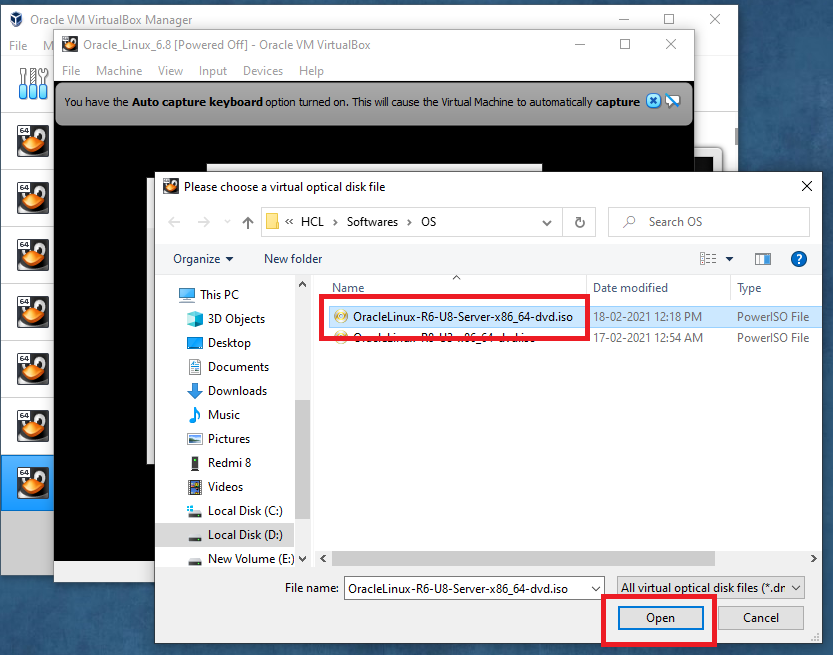
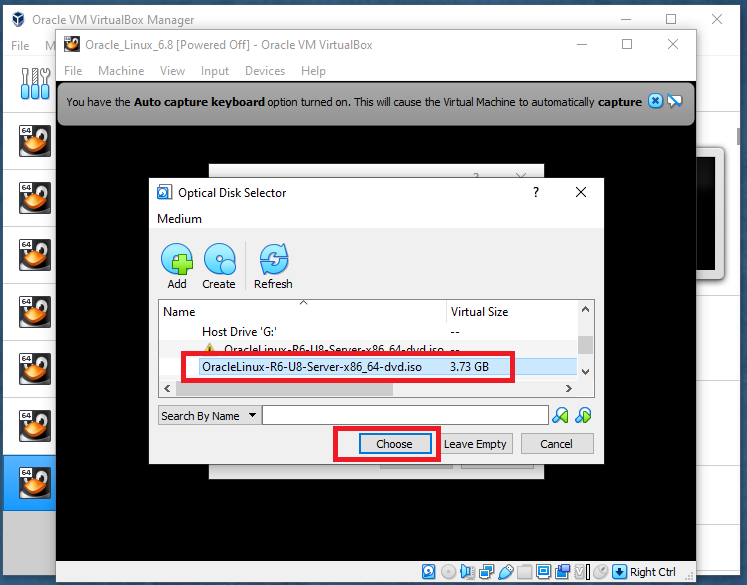
Click Start
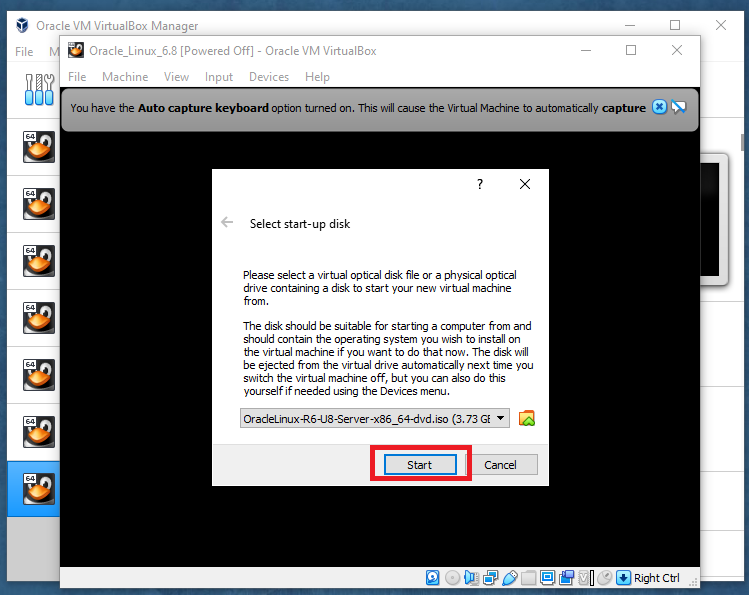
start the installer and install the OS
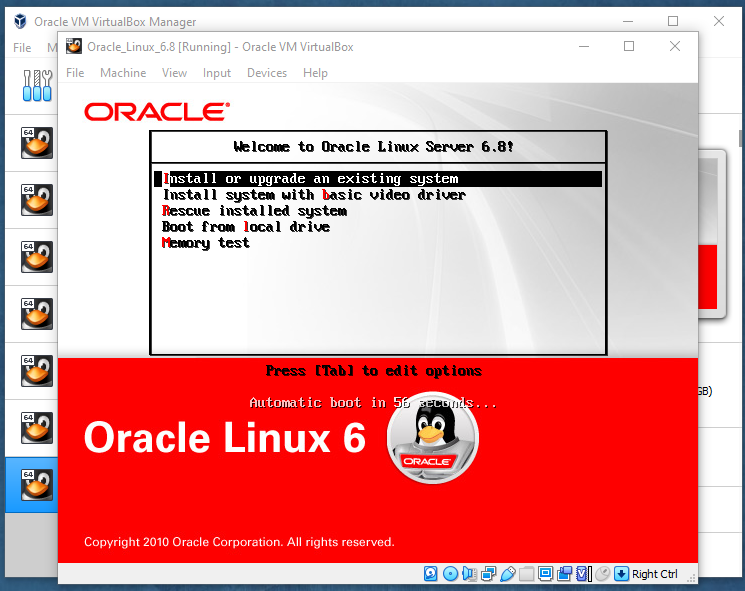
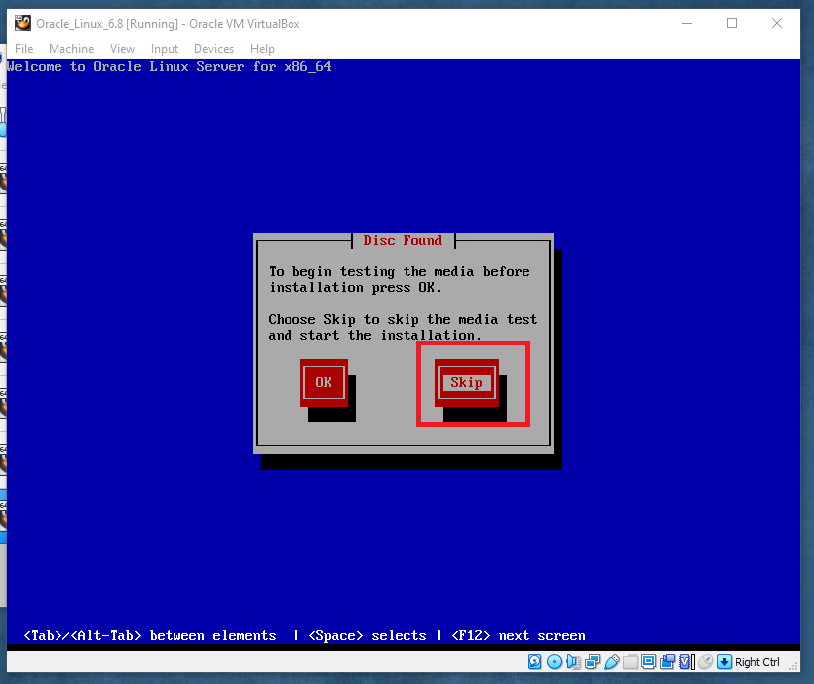
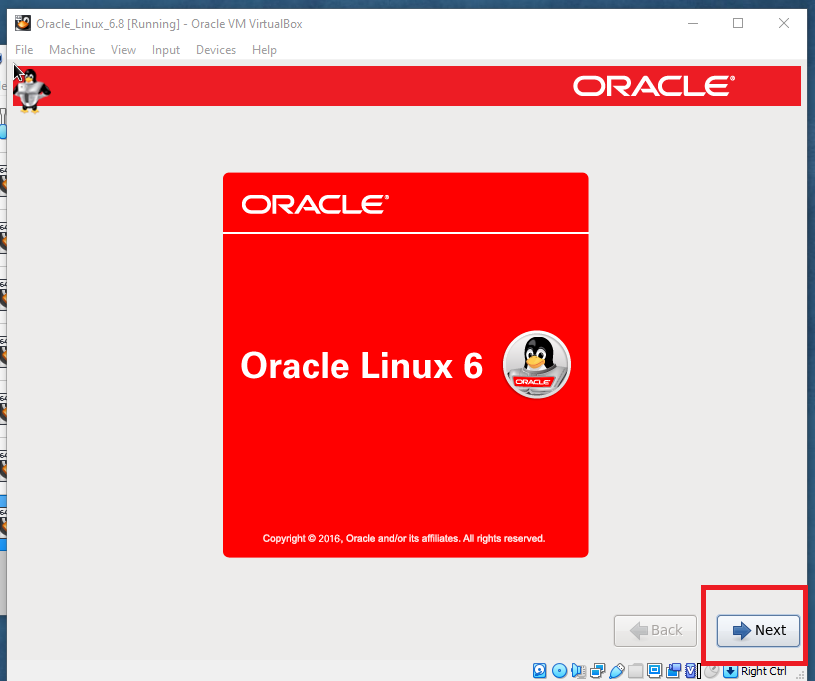
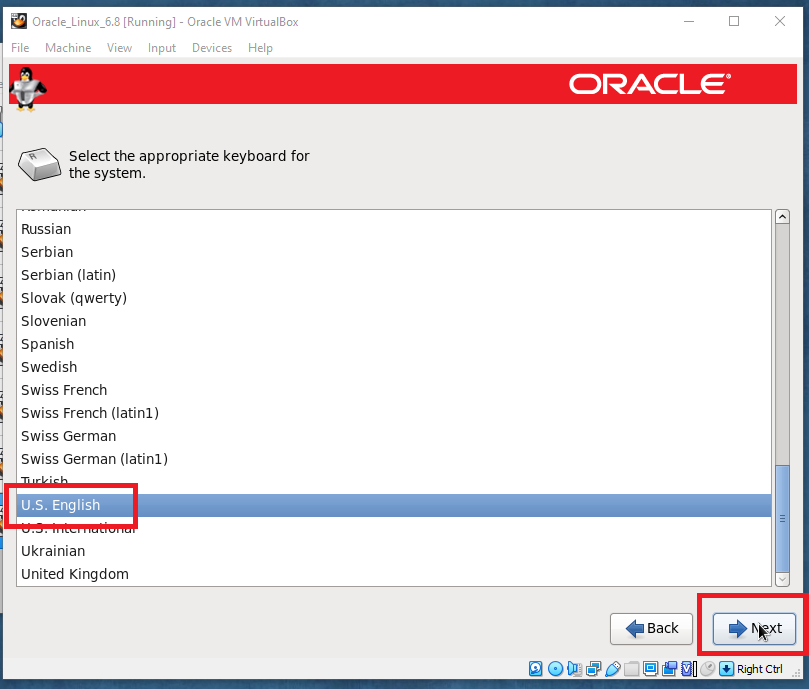
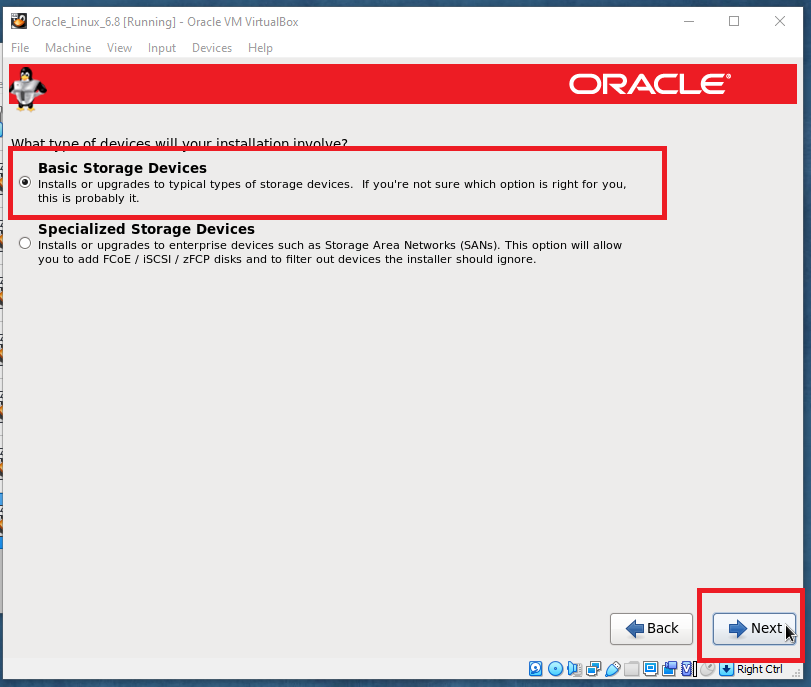
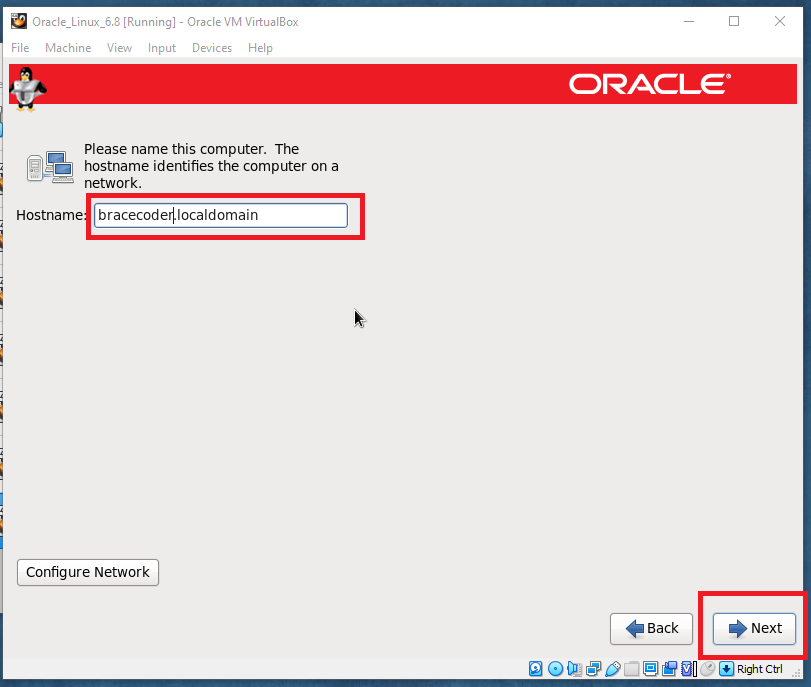
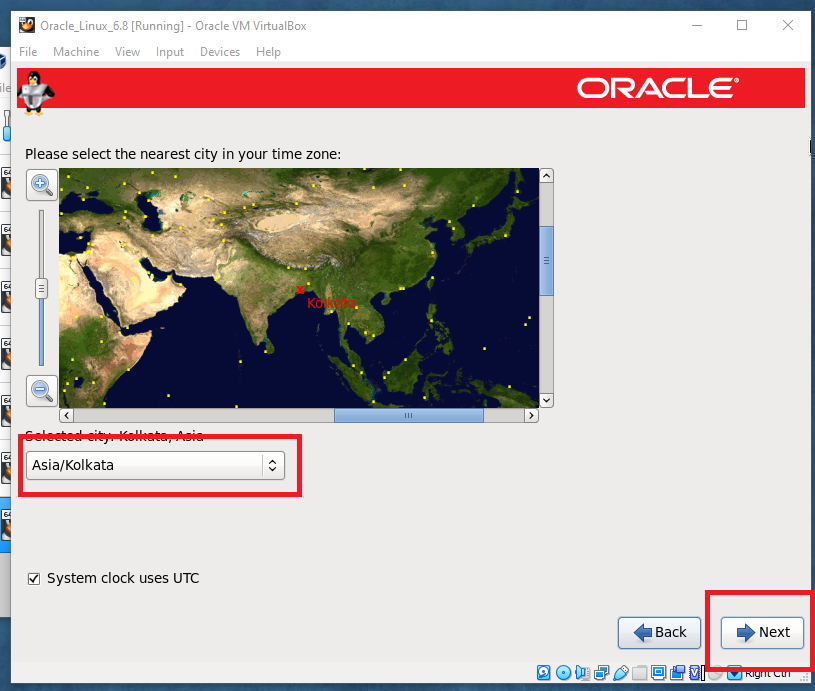
Select Language Next
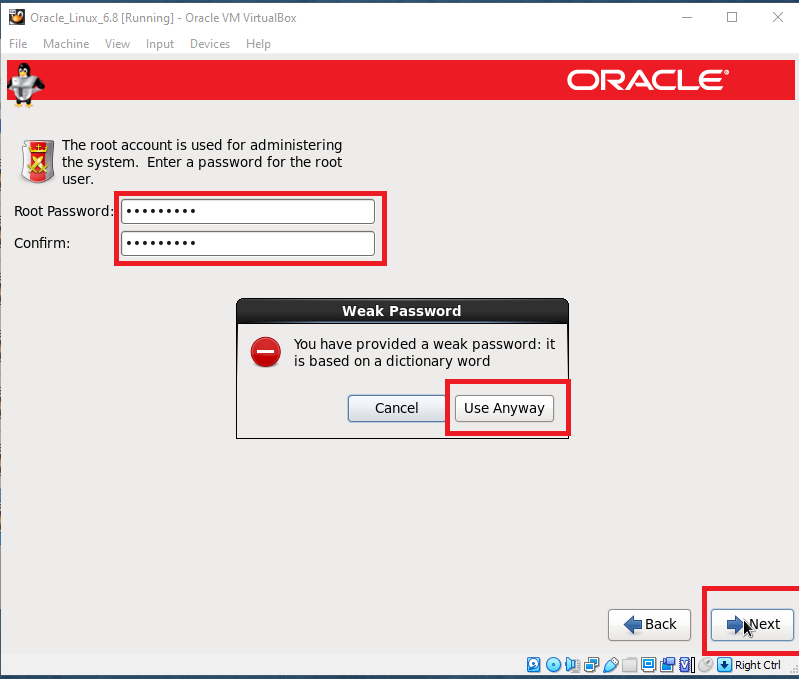
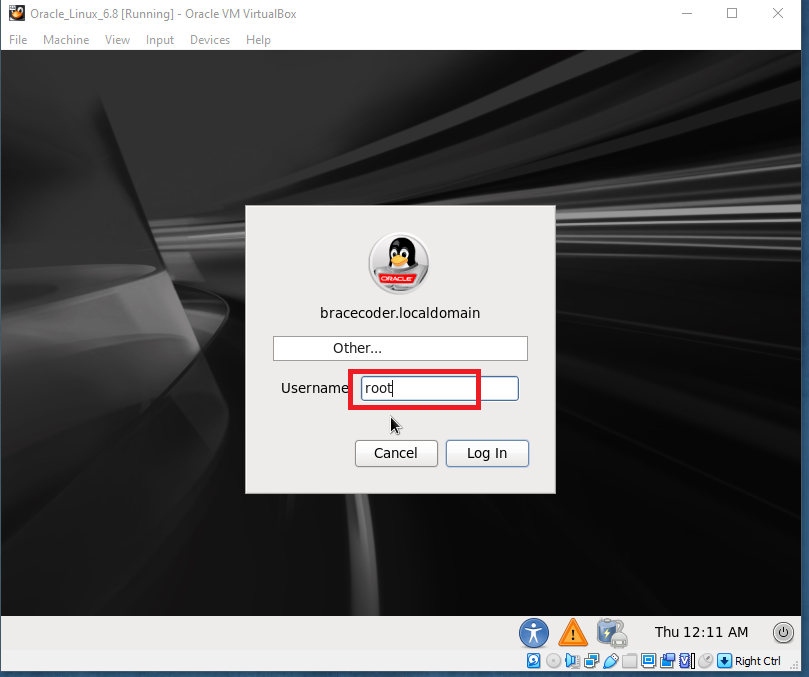
Enter root password
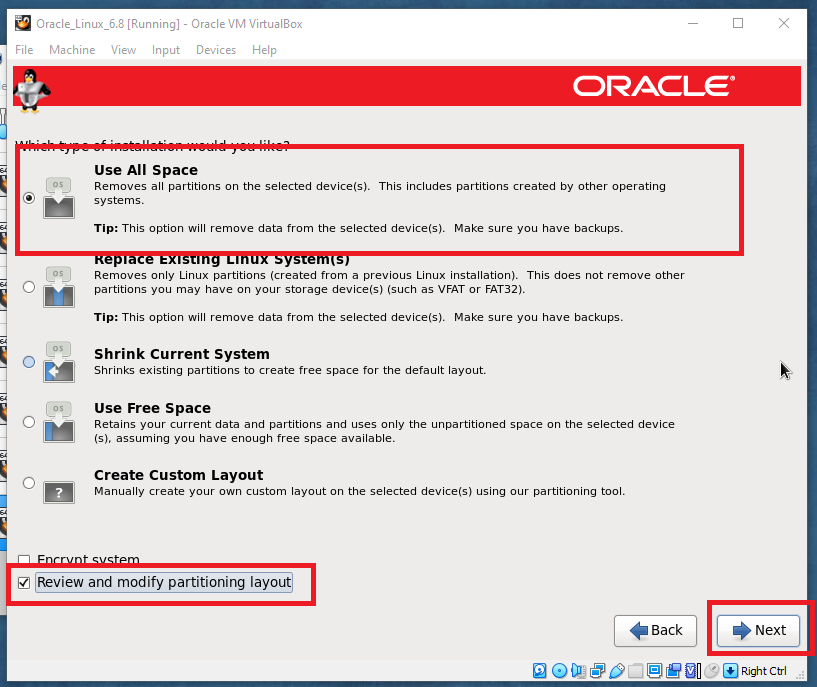
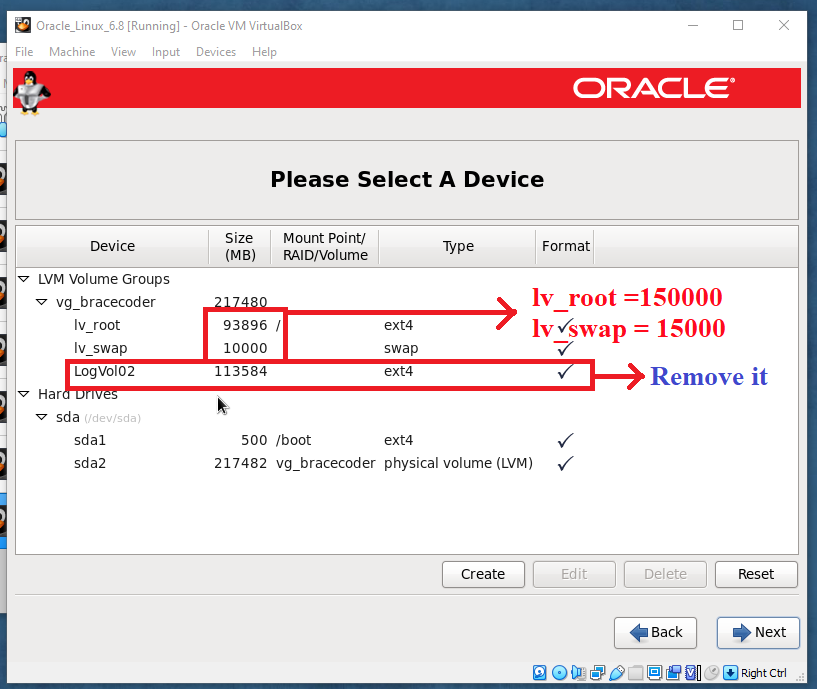
Basic Storage Next
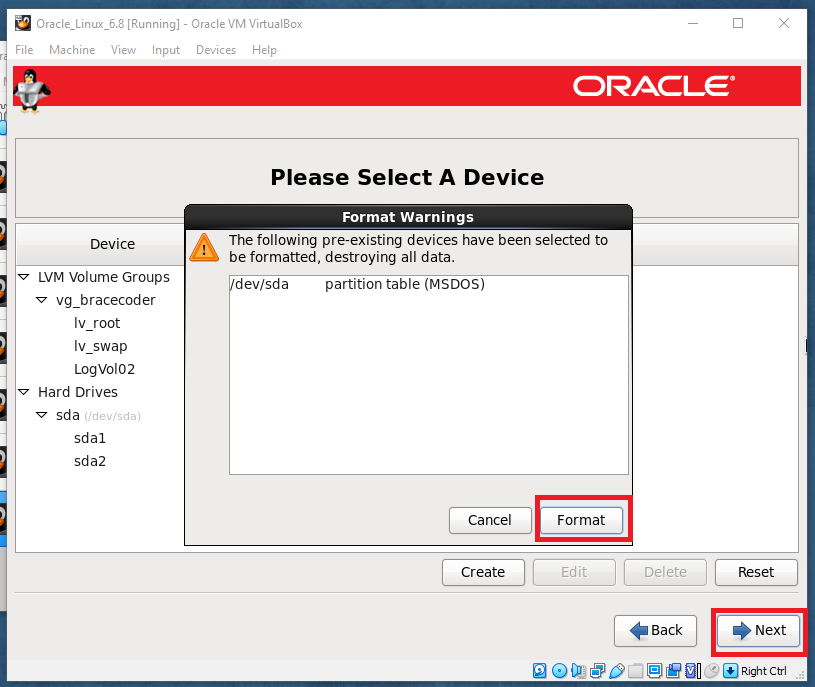
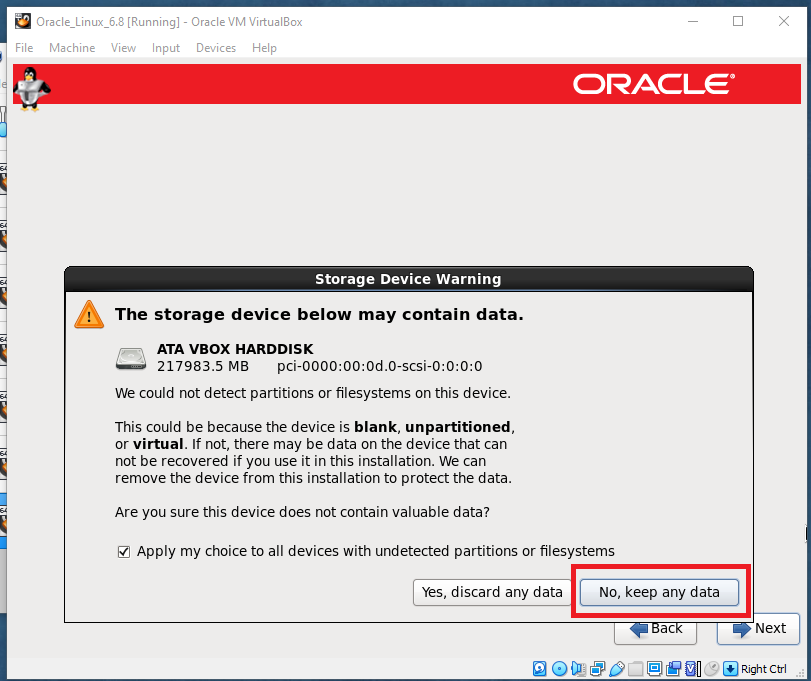
Click Discard Any Data button
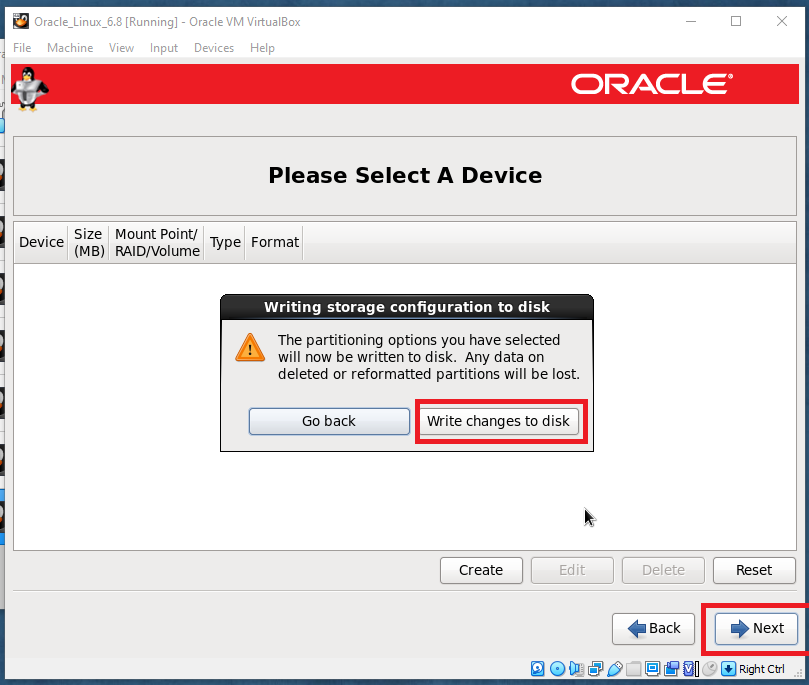
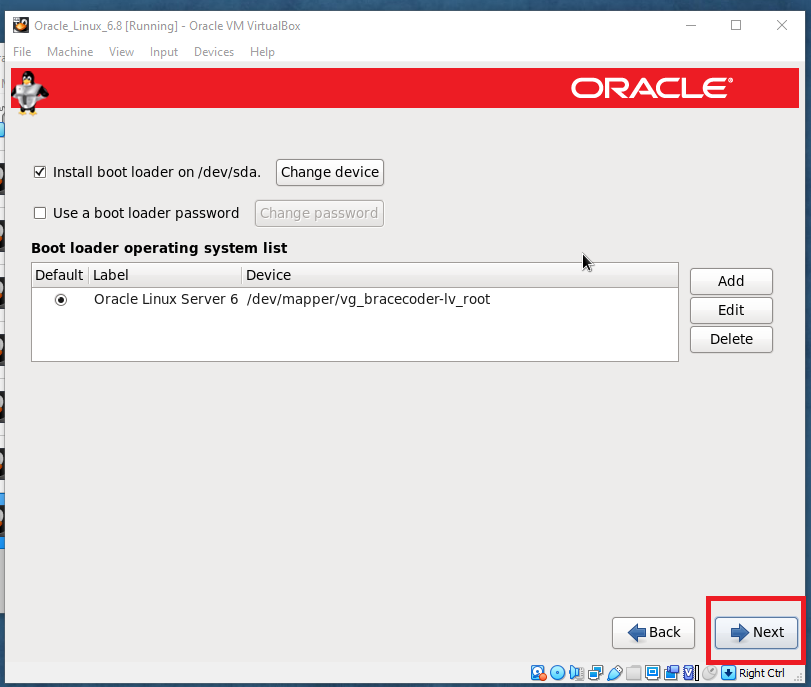
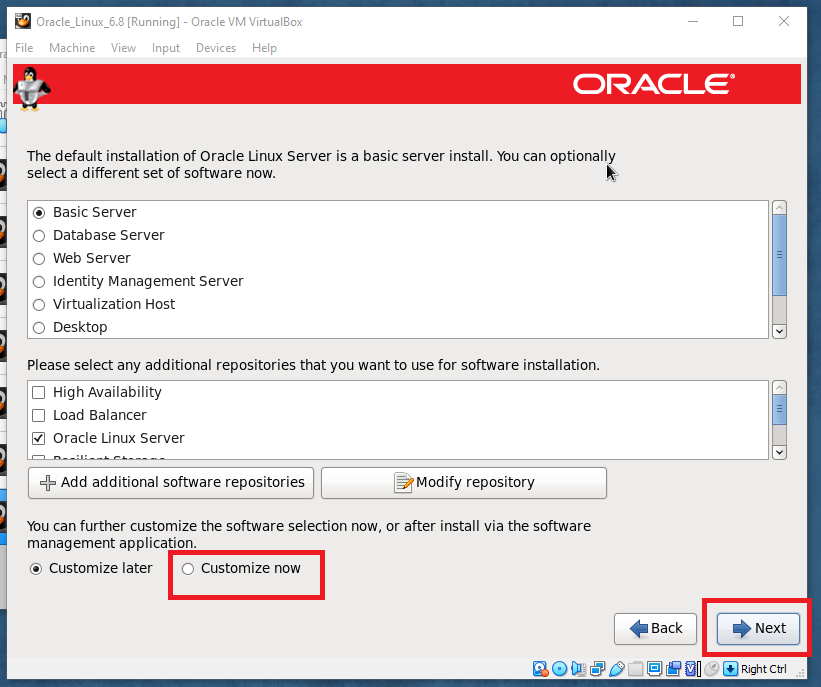
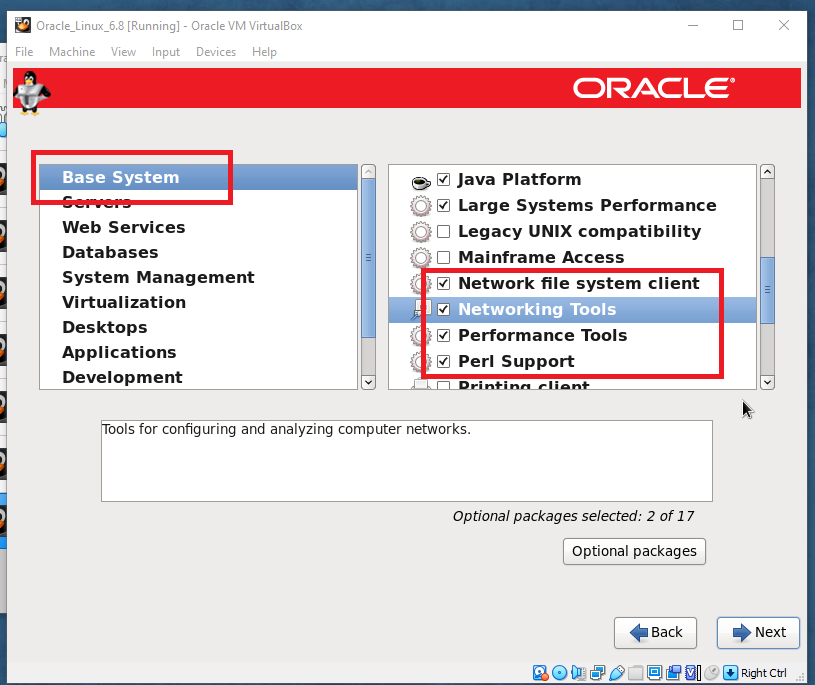
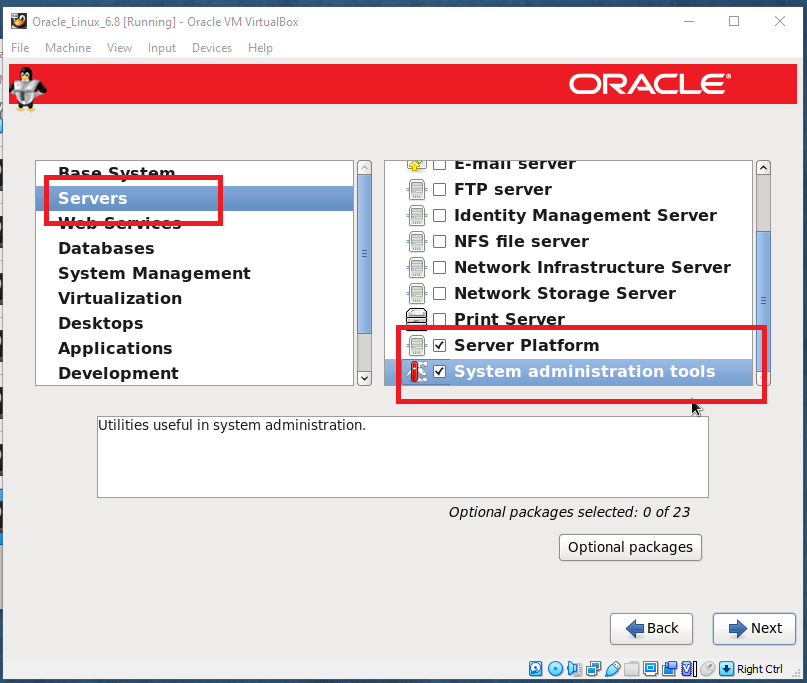
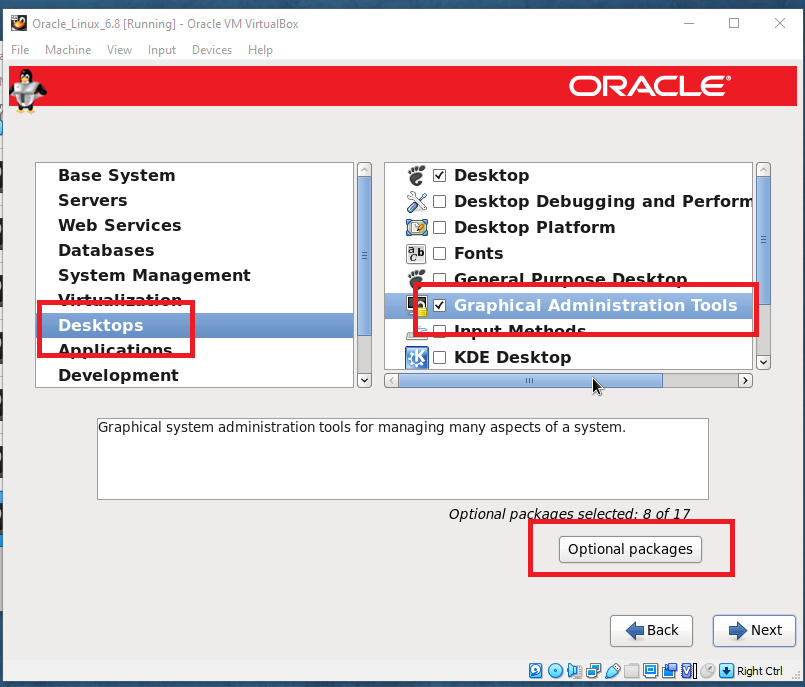
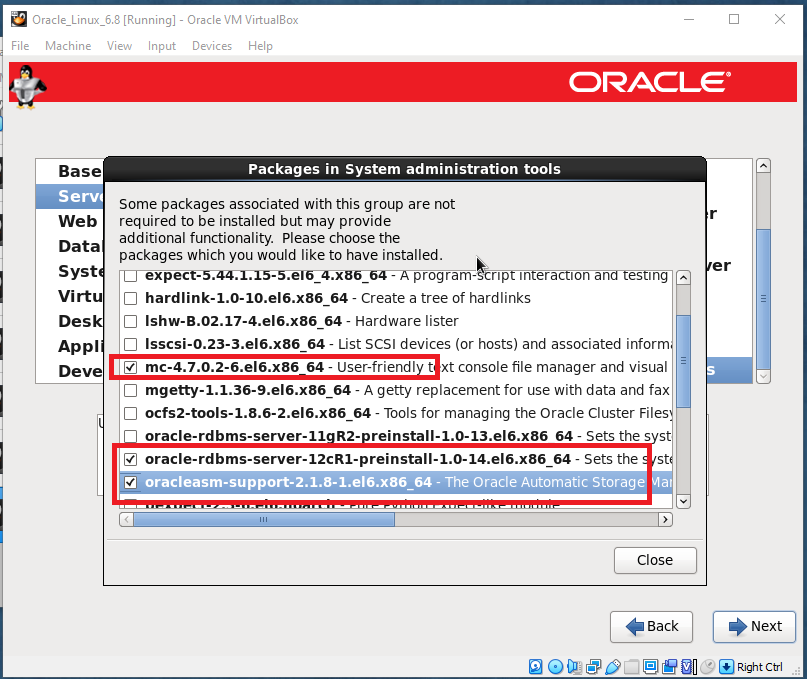
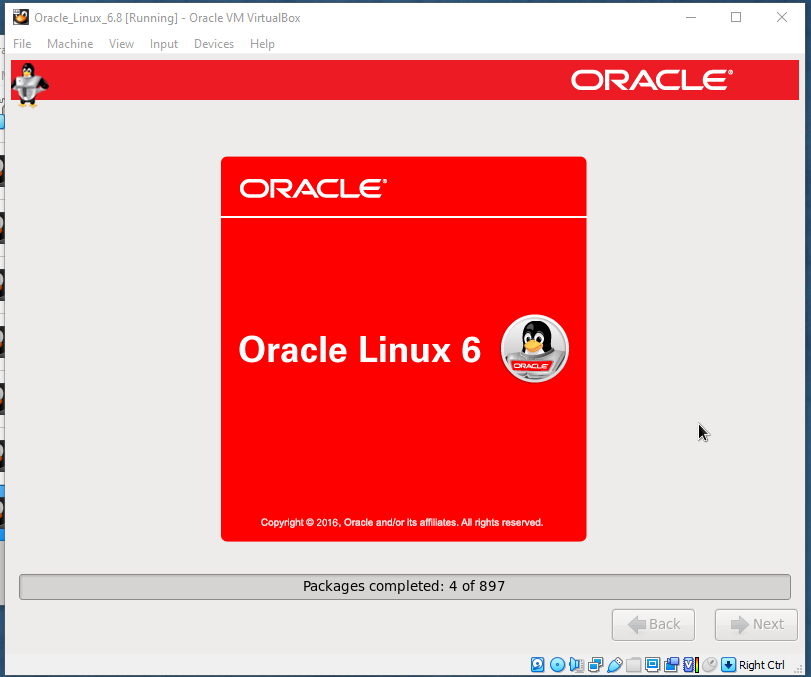
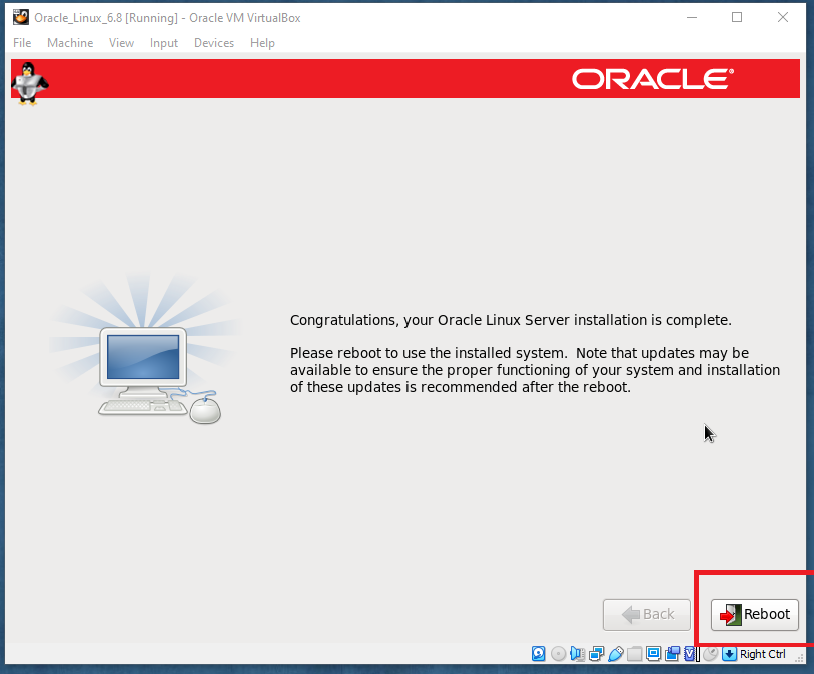
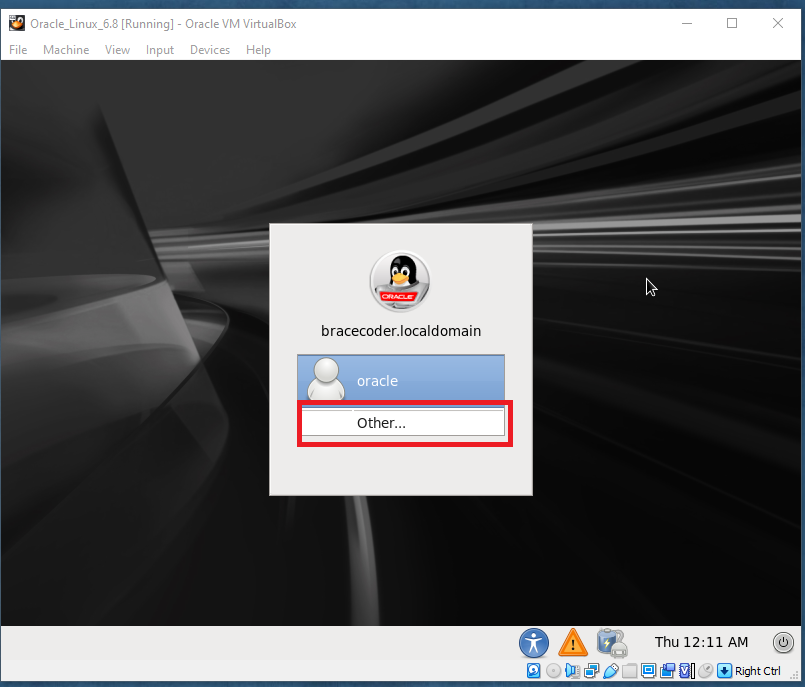
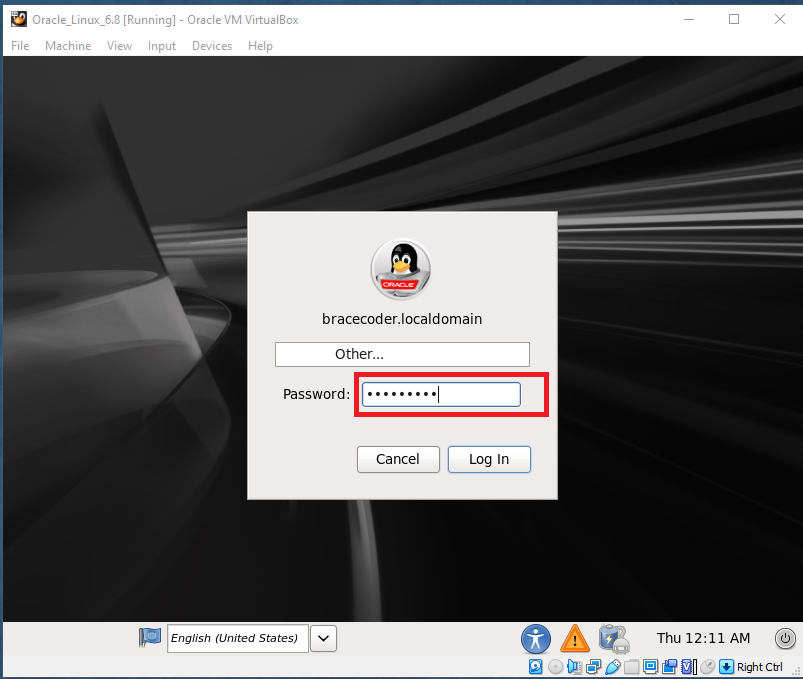
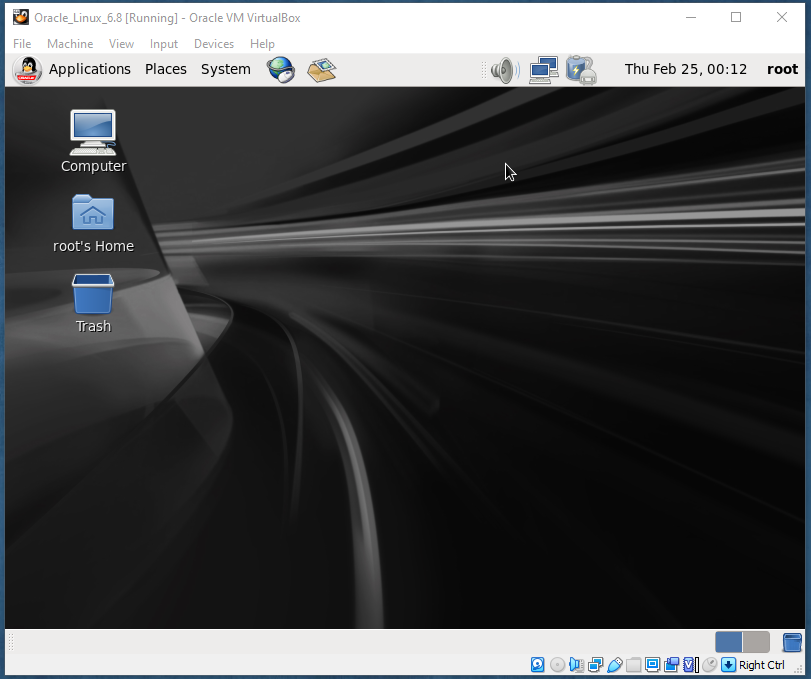
After reboot, Click on Forward
Frequently asked questions
What is this Oracle Linux 6.7 VM used for?
It is a base (seed) virtual machine for installing Oracle software such as Oracle Database, Clusterware, Enterprise Manager or WebLogic.
Will "Discard any data" erase my computer's disk?
No. The installer only sees the new virtual disk created for the VM, and discarding data initialises that empty virtual disk. Your host computer's disks are not touched.
Should I still use Oracle Linux 6.7 for a new lab?
Oracle Linux 6 is an old release. For Oracle Database 19c, use Oracle Linux 7.9 or 8, as in our Oracle 19c RAC installation series.


Comments
0Please sign in to leave a comment.
No comments yet
Be the first to share your thoughts!